Remember when remote work was supposed to last just two weeks back in March 2020? Nobody believed that even then, but nobody expected it to become the default either. Now, years later, hybrid and fully remote setups are simply how a huge chunk of the workforce operates.
The interesting question is no longer “does remote work work?” Instead, it’s a messier question: what actually makes a person productive once an office isn’t there to manage them? Understanding the link between remote work and productivity is key
I don’t think there’s a tidy answer. Remote work isn’t a productivity cheat code, nor is it a trap. It’s simply a different environment. Moreover, it is far less forgiving of sloppy habits than an office ever was. An office used to cover up a lot of dysfunction. Working from home doesn’t.
The Productivity Paradox
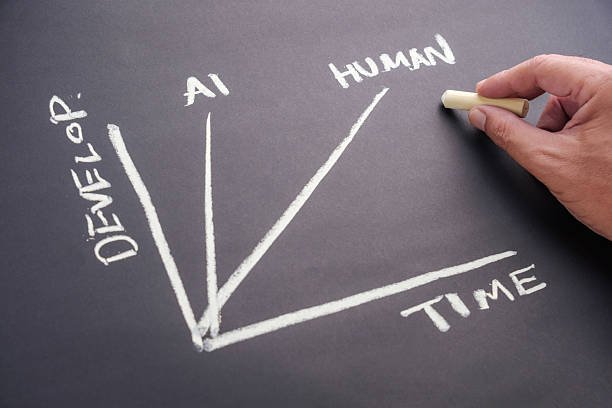
Ask ten remote workers if they’re more productive at home, and you’ll get ten different answers. Honestly, most of them are probably right. When it comes to remote work and productivity. Some people get more done in less time once the commute and the constant drop-bys disappear. Others describe the opposite: a slow slide into distraction, half-finished tasks, days that felt busy but produced almost nothing.
Here’s the thing — both are true, just for different kinds of work. Deep, heads-down stuff (writing, coding, spreadsheets, design work) tends to get better at home. Nobody’s stopping by your desk. There’s no meeting-room walk eating ten minutes on either side. A lot of people genuinely do their best thinking at a kitchen table with noise-canceling headphones on.
Collaborative work is a different story, though. The kind of idea that sparks because two people ran into each other by the coffee machine? That doesn’t happen by accident anymore. It has to be engineered on purpose or it just… stops happening. That’s the real challenge with remote work and productivity. Remote work boosts individual output while draining team connection. Someone must actively work to prevent that.
Work-from-Home Tips

Most WFH struggles aren’t really about willpower, whatever the productivity influencers say. They’re about the fact that an office handed you structure for free, and now that job falls on you.
A fixed workspace matters more than people expect — and it doesn’t need to be a real office. A specific chair works fine. One side of the dining table works fine. What matters is that you use the same spot consistently. This simple habit supports both remote work and productivity, helping your brain start treating that spot as “work mode” the way it used to treat the office building.
Start and end rituals help too. The commute used to bookend the day whether you liked it or not; without it, work just bleeds into the evening because there’s no signal telling your brain to stop. A short walk before logging on. Closing the laptop and leaving the room at a set time. Even just changing out of the clothes you slept in — small stuff, but it works.
And don’t underestimate human contact. Isolation is probably the single biggest hidden risk in remote work and productivity, and it creeps up slowly enough that people don’t notice until motivation’s already tanked. A coworking day, coffee with a friend mid-week, a standing lunch with another remote worker — anything that breaks up total solitude tends to help more than people expect.
One more thing worth saying: overcommunicate your availability, especially on a team with mixed schedules. “Heads down until 2, free after” takes five seconds to type and saves everyone a surprising amount of friction.
Time Management

Remote work fragments your attention in a way office life often didn’t, mostly because every notification is now competing directly with whatever’s on your actual screen.
Time-blocking by task type — not just by hour — helps a lot here. Batch your email and Slack into one window, your deep work into another, meetings into a third, rather than letting the day turn into a random sequence of context switches. Every switch costs you more than it feels like it does in the moment.
There’s also an underrated freedom in working with your own energy instead of against it. Nobody’s watching when you actually do your hardest thinking, so if you’re sharpest at 7 am, or honestly at 9 pm after everyone else logs off, there’s often nothing stopping you from putting the hard stuff there instead of jamming it into a 10 am slot just because that’s when the office expected you at your desk.
Turning off notifications on purpose — not letting them just pile up and interrupt you — makes a bigger difference than most people give it credit for. A day spent reacting to pings feels productive and usually isn’t. And for genuinely small stuff, the two-minute rule works: if it takes less than two minutes, just do it now instead of adding it to a list you’ll revisit five times without ever finishing.
Best Productivity Apps

Tools don’t fix a broken system — worth saying that up front, because it’s tempting to think the right app will solve everything. But the right ones do remove a lot of unnecessary friction.
For task and project management, Todoist and Things 3 are solid for individuals who want something clean and low-friction. On the team side, Asana and ClickUp cover general project visibility, and Linear has become something close to a default for engineering teams specifically.
For focus and time-tracking, Toggl Track is useful just for seeing where your hours actually go — often more eye-opening than people expect. Forest and Freedom are worth knowing if there’s a specific site or app that keeps pulling your attention away during focus blocks.
Notion has more or less become the default shared knowledge base for a lot of remote teams — wikis, lightweight project tracking, all in one place. Obsidian appeals more to people who want a personal note system that isn’t tied to a company account and lives entirely on their own terms.
And Calendly, or something like it, removes the “what time works for you” back-and-forth almost entirely, which matters a lot more once you’re dealing with people across time zones.
None of it matters much without habits behind it, though. A team with a great app stack and no communication norms still struggles. A team with a mediocre stack and strong habits — clear docs, protected focus time, meetings that actually end on time — usually wins anyway.
Remote Team Collaboration

This is where most remote setups actually break down. Not individual output — that part’s usually fine. It’s the team layer that quietly erodes if nobody’s paying attention.
Defaulting to async communication and saving live meetings for things that genuinely need real-time discussion is probably the single biggest lever here. Writing something down forces clearer thinking than a rambling call does, and it means colleagues in other time zones aren’t stuck reading a summary of a conversation they were excluded from by default.
Documenting decisions, not just tasks, matters more than people realize until the day someone’s on vacation and nobody can find why a call was made six weeks ago. Institutional knowledge used to just live in people’s heads and overheard conversations. Remotely, if it’s not written down somewhere searchable, it might as well not exist.
Protecting meeting-free blocks works, but only as a team agreement, not a personal preference one person tries to enforce alone against everyone else’s calendar habits. “No meetings before 11” only means something if the whole team actually respects it.
Making room for the unplanned stuff helps more than it sounds like it should — optional virtual coffee chats, a loose watercooler channel, whatever. It’s an imperfect substitute for actually running into someone in a hallway, but it measurably cuts down on the isolation that erodes both morale and collaboration over time.
And if there’s ever a chance to get a distributed team together in person, even once a year, it tends to pay off for months afterward. The trust built over a few real days together carries a long way over Slack and video calls later.
Bringing It Together
None of this works in isolation, honestly. The apps don’t matter without habits behind them. The habits don’t stick without at least some human connection. And none of it fully replaces what used to happen automatically just by everyone being in the same building.
That’s really the shift remote work forced on everyone: things that used to happen by default — structure, boundaries, spontaneous collaboration — now have to happen on purpose. That’s more upfront effort, no question. But the people and teams willing to actually build these systems, instead of waiting for the environment to hand it to them, usually end up somewhere better than the old office setup ever got them. Not by accident this time — by design.
Summary
Remote work isn’t inherently more or less productive than office work — it’s simply a different environment, one that rewards people who build their own structure and exposes anyone who was relying on the office to provide it for free. That’s the article’s central argument, and it plays out differently depending on the type of work involved.
For individual, heads-down tasks like writing, coding, or design, remote settings often help: fewer drop-bys, no meeting-room walk, less ambient noise. But collaborative work suffers without deliberate effort, since the spontaneous idea-sparking that used to happen near a coffee machine doesn’t occur by accident when everyone’s remote — it has to be engineered on purpose.
On the individual side, the article recommends a few concrete habits: claiming a fixed workspace (even something small) to recreate the office’s psychological cue, building start-and-end rituals to replace the boundary a commute used to provide, and staying proactive about human contact to fight the isolation that creeps in slowly. For time management, it emphasizes batching similar tasks instead of constant context-switching, working during natural energy peaks rather than a rigid schedule, and cutting reactive notification-checking.
Tools like Todoist, Asana, Linear, Notion, Toggl, and Calendly are covered as useful for reducing friction — but the piece is clear that apps only work on top of good habits, never as a substitute for them.
At the team level, most collaboration breakdowns aren’t about individual output but about connection eroding quietly. The fixes proposed include defaulting to async communication, documenting decisions rather than letting them live in people’s heads, protecting meeting-free time as a shared team norm, and occasional in-person gatherings to rebuild trust.